
Chatbot flows that answer before anyone's awake.
Set a keyword, write the reply, add up to three buttons. It fires the instant someone types it, on WhatsApp, Instagram and Messenger alike.
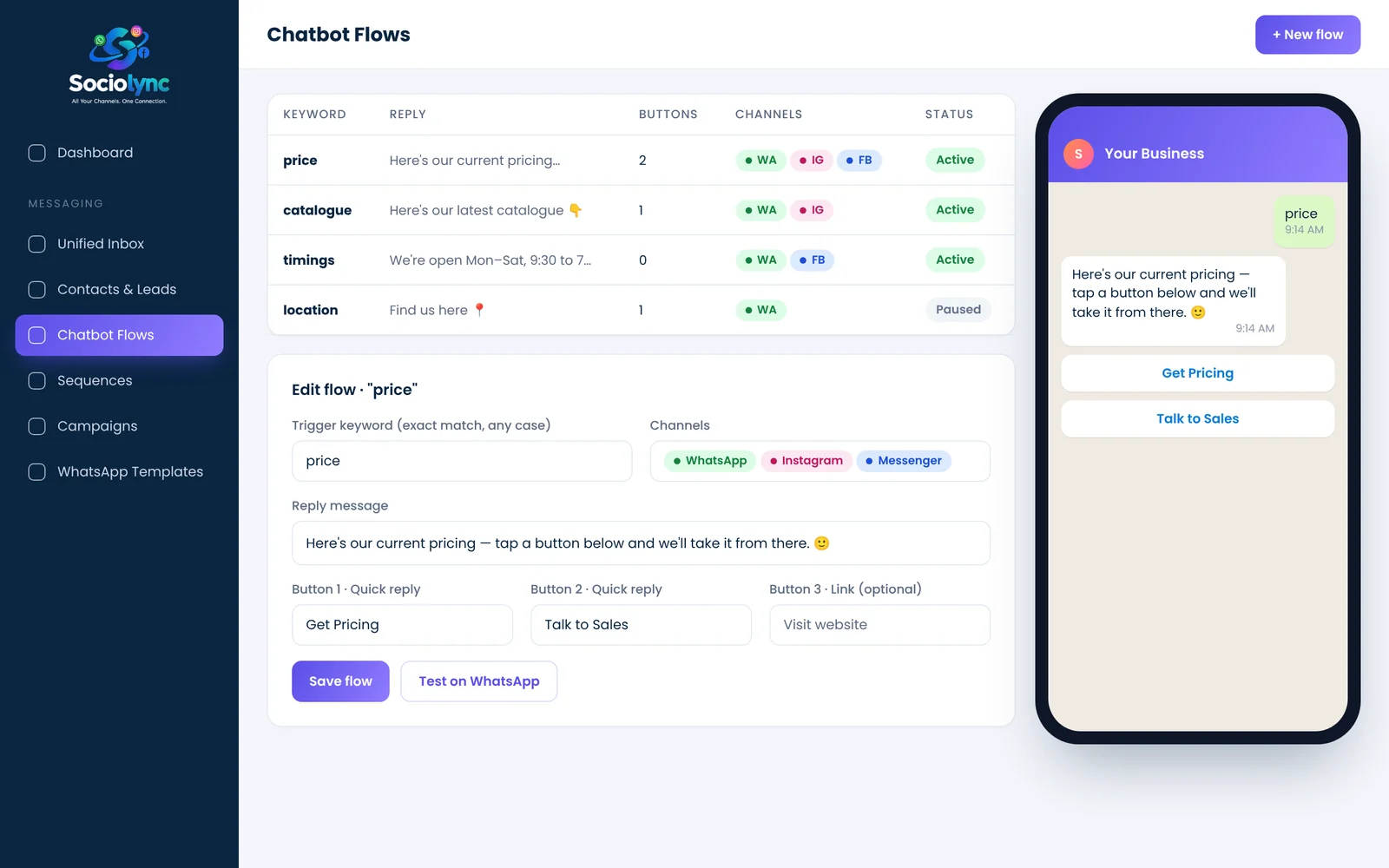
Chatbot flows in Sociolync are keyword-triggered auto-replies: when a customer types a word such as "price" or "catalogue", the platform instantly sends your saved reply with up to three quick-reply or link buttons. Flows work the same on WhatsApp, Instagram and Messenger and need no coding.
What you get
- Case-insensitive, exact-match keyword triggers
- Up to 3 quick-reply or website-link buttons per flow
- Identical behaviour across all three channels
- Pause or edit any flow in seconds
Everything in Chatbot Flows.
No-code builder
Keyword, reply, buttons, channels. That's the whole setup.
24×7 replies
Pricing, timings, location and catalogue answered at 2 a.m.
Buttons that route
"Talk to Sales" hands the chat to a person; "Get Pricing" sends the details.
Per-channel control
Choose which channels each flow runs on.
Clearly labelled
Auto-replies are marked in the inbox so the team knows what the bot already said.
Works with sequences
A button tap can be the start of a follow-up sequence.
Up and running in three steps.
Pick a keyword
Choose the words customers actually type: price, catalogue, timings.
Write the reply
Add your answer and up to three buttons.
Switch it on
The flow runs on the channels you chose, instantly.
Chatbot Flows: your questions
How do I create a WhatsApp chatbot without coding?
In Sociolync, open Chatbot Flows, enter a trigger keyword, type the reply and add up to three buttons. Save it and it starts replying on WhatsApp, Instagram and Messenger straight away.
How many buttons can a chatbot reply have?
Up to three, either quick-reply buttons or a link button to a web page.
Is the keyword match case-sensitive?
No. Matching ignores upper and lower case, so "Price" and "price" both trigger the flow.
Does the chatbot work on Instagram DMs too?
Yes. The same flow can run on WhatsApp, Instagram and Facebook Messenger.
Can a person take over from the chatbot?
Yes. Every auto-reply appears in the shared inbox, and your team can reply in the same thread at any time.
Bring every conversation into one place
Start free for 14 days. No card needed, and no Meta account to set up first.