
From conversation to approved quotation to paid invoice.
Build a versioned quotation, email it for one-click approval, raise the invoice and track every payment, all tied to the contact the chat started with.
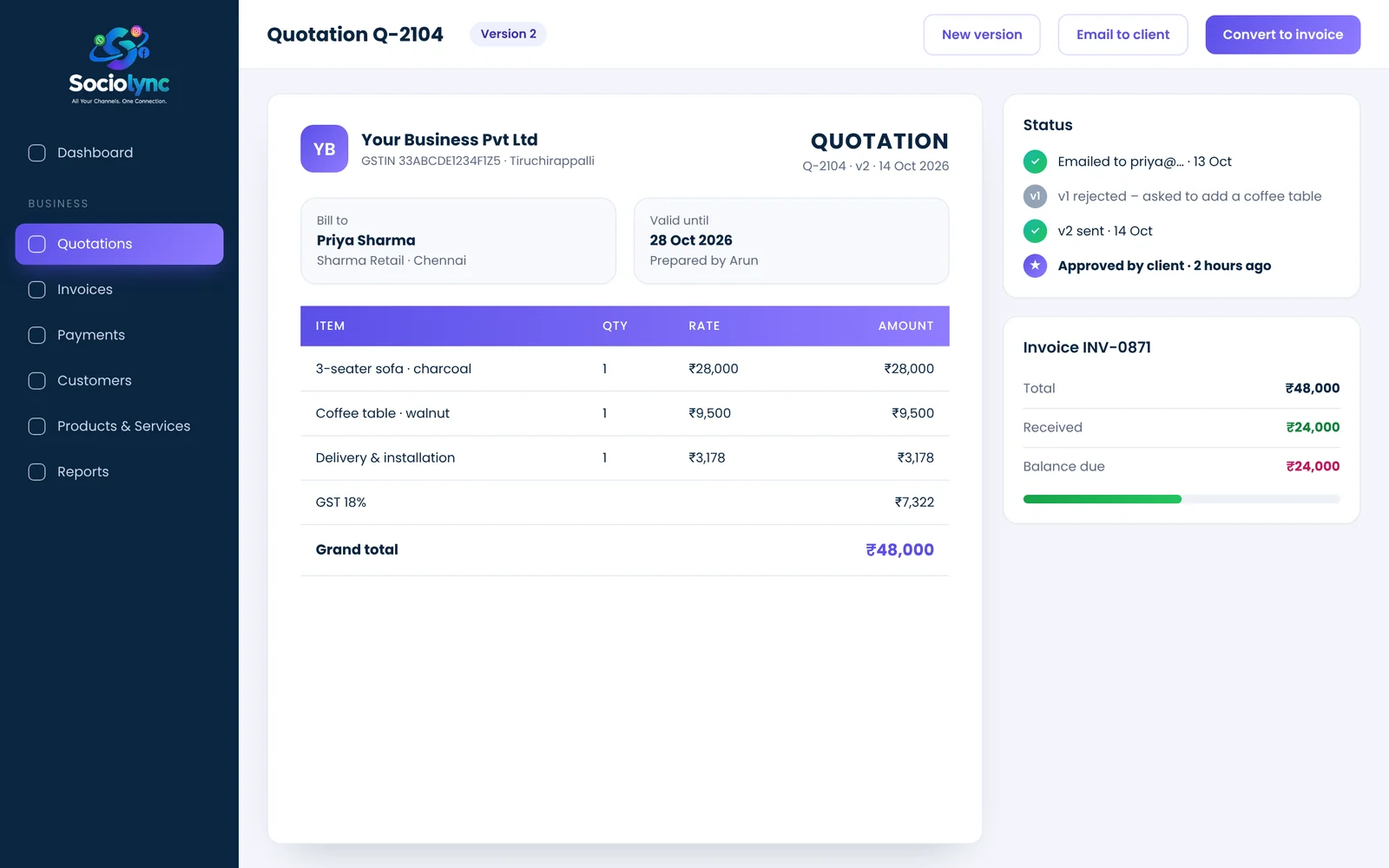
Sociolync includes quotation and invoice software built into the same workspace as your messaging. You create a versioned quotation, email it to the client with a one-click Approve or Reject link, convert it into an invoice, and record full or partial payments to see what is paid and what is still due.
What you get
- Versioned quotations; resend after changes without losing history
- Client approve/reject link, no login needed
- Invoices with sent status and payment tracking
- Partial payments and balance due, per customer
Everything in Quotations & Invoicing.
Your branding
Documents show your own logo and company details.
Version history
v1 rejected? Create v2 and keep both on record.
Email with PDF
Send the quotation as a PDF attachment straight from the platform.
One-click approval
Clients approve or reject without creating an account.
Payments ledger
Record multiple partial payments against an invoice.
Outstanding at a glance
Total, received and pending, per customer.
Up and running in three steps.
Quote
Pick products, set quantities, add tax.
Approve
Email it; the client approves with one click.
Invoice & collect
Convert to an invoice and record payments as they arrive.
Quotations & Invoicing: your questions
Can I send quotations from the same place I chat with customers?
Yes. Quotations and invoices live in the same workspace as the inbox and CRM, linked to the same contact.
How does client approval work?
The quotation email includes an Approve / Reject link. The client clicks it without needing an account, and the status updates in Sociolync.
Can I revise a quotation after the client rejects it?
Yes. Create a new version; earlier versions stay on record.
Does it support partial payments?
Yes. Record several payments against one invoice and see the balance due.
Will the PDF show my company's logo?
Yes. Each workspace uses its own logo and company details on quotations and invoices.
Bring every conversation into one place
Start free for 14 days. No card needed, and no Meta account to set up first.