

Follow-ups that don't rely on someone remembering.
Enrol a contact once and each step sends on its own clock: a day-2 nudge, a week-1 check-in. It stops the moment they reply or convert.
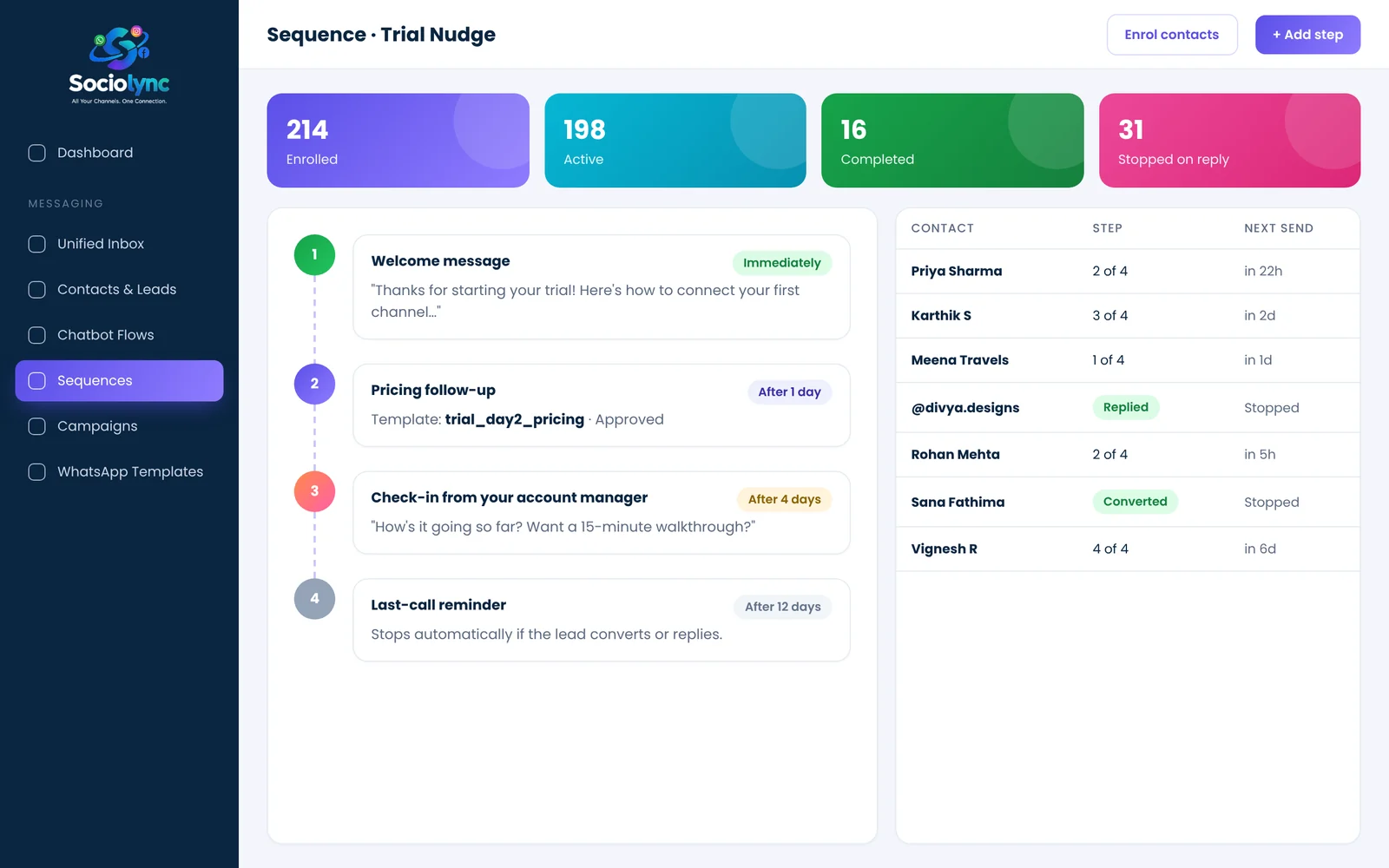
Sequences are automated, multi-step follow-up messages. In Sociolync you enrol contacts by lead status or tag, set a delay for each step, and the platform sends them on schedule using plain messages or approved WhatsApp templates. A reply or a status change can stop the sequence instantly.
What you get
- Any number of steps, each with its own delay
- Enrol contacts in bulk by lead status or tag
- Use approved templates for contacts outside the 24-hour window
- Per-contact progress and last-error visibility
Everything in Sequences.
Timed steps
Hours or days between steps, set per step.
Bulk enrolment
Enrol everyone tagged "Trial" or with status "Quotation Sent".
Auto-stop
Replied or converted? The sequence stops by itself.
Template-aware
Steps can use approved WhatsApp templates.
Progress tracking
See every contact's current step and next send time.
Error visibility
If a step fails, you see why, per contact.
Up and running in three steps.
Build the steps
Write each message and set the delay.
Enrol contacts
By tag, by status or one by one from the inbox.
Let it run
Steps send on schedule and stop on reply.
Sequences: your questions
What is a WhatsApp drip sequence?
It is a series of follow-up messages that send automatically on a schedule, for example a welcome message today, a pricing reminder tomorrow and a check-in after four days.
Can a sequence stop when the customer replies?
Yes. A reply or a change of lead status (for example to Converted) can stop the sequence for that contact.
Can I message customers after the 24-hour window?
Yes, by using an approved WhatsApp template for that step. WhatsApp only allows free-form messages within 24 hours of the customer's last message.
How do I enrol contacts?
Enrol them in bulk by lead status or tag, or add individual contacts from the inbox or contacts list.
Can I see where each contact is in the sequence?
Yes. Each contact shows their current step, next send time and any delivery error.
Bring every conversation into one place
Start free for 14 days. No card needed, and no Meta account to set up first.